

You run your WordPress site through PageSpeed Insights. Your images are compressed, your CSS is minified, your JavaScript is not blocking. Everything looks fine. Then you see it: “Reduce initial server response time.”
That warning is about your TTFB, or Time to First Byte, and it is one of the most misunderstood performance issues in WordPress. Unlike image compression or minification, you cannot fix TTFB by tweaking your theme or installing another optimization plugin. The problem lives deeper, on the server side.
In this guide, we will explain exactly what TTFB is, what causes a slow one, and the specific steps to reduce it in WordPress, in the order that actually makes a difference.
What Is TTFB (Time to First Byte)?
TTFB measures how long it takes for a visitor’s browser to receive the very first byte of data from your server after making a request. It is the initial server response time that happens before any visible content starts to load.
Think of it as the delay between someone knocking on your door and you starting to open it. Everything else (the images, the text, the styling) can only begin loading after that first byte arrives. If your TTFB is slow, every other part of your page is delayed no matter how well optimized it is.
TTFB is made up of three parts: the time to establish the connection to the server, the time the server spends processing the request and building the page, and the time to send that first byte back. In WordPress, the middle part, server processing, is usually where the delay lives.
What Is a Good TTFB?
The generally accepted thresholds are:
| TTFB | Rating |
| Under 800ms | Good |
| 800ms – 1800ms | Needs improvement |
| Over 1800ms | Poor |
Google recommends aiming for a TTFB of 800 milliseconds or less. For context, a well-configured WordPress site serving a cached page can respond in as little as 20 to 100 milliseconds. If your TTFB is sitting at two seconds or more, there is significant room to improve, and often a single fix (like proper caching or better hosting) can drop it dramatically.
Why TTFB Matters
TTFB is not just a number in a report. It affects real things:
It affects your Core Web Vitals. A slow TTFB directly delays Largest Contentful Paint (LCP), one of Google’s Core Web Vitals. You cannot pass LCP with a slow server response, because the content physically cannot render until the server responds. If you are working on Core Web Vitals, our guide on LCP, CLS, and INP explains how they connect.
It affects your SEO. Page speed is a confirmed Google ranking factor, and TTFB is the foundation of page speed. A slow server response works against your rankings.
It affects conversions. Every additional second visitors wait before anything appears increases the chance they leave. A slow first byte means a slower first impression.
The Uncomfortable Truth: TTFB Is Mostly a Hosting Problem
Here is what most guides dance around: TTFB is not really a WordPress problem. It is a server problem.
You can optimize your theme, compress every image, and minify every file, and none of it will fix a slow TTFB, because TTFB is determined before any of that comes into play. It is set by how fast your server can process a request and start responding. That means the two biggest levers are your hosting and your caching, not your front-end code.
This is important because it changes where you should spend your effort. If your TTFB is poor, installing another optimization plugin is treating the symptom. The cause is almost always the server environment. Keep this in mind as we go through the fixes; they are ordered by impact, and the highest-impact ones are all server-side.
How to Measure Your TTFB
Before fixing anything, measure your current TTFB so you can tell whether your changes work.
PageSpeed Insights. The “Reduce initial server response time” warning is your TTFB flag. It also shows your real-world TTFB from field data.
Chrome DevTools. Open the Network tab, reload your page, click the first document request, and look at the “Waiting for server response” timing. This is your TTFB for that load.
WebPageTest or GTmetrix. Both show a detailed waterfall where TTFB is clearly broken out, and let you test from different locations.
Test more than once, and test both cached and uncached loads. The first visit to a page (uncached) will almost always have a higher TTFB than repeat visits (cached). This difference is a big clue about whether caching is your issue.
How to Reduce TTFB in WordPress: Step by Step
These fixes are ordered by impact. Start at the top.
1. Upgrade Your Hosting
This is the single biggest factor, and there is no way around it. If you are on cheap shared hosting, your site is competing for resources with hundreds of other sites on the same server. When they get busy, your TTFB climbs, no matter what you do on your end.
Moving to quality hosting, ideally managed WordPress hosting on modern hardware with dedicated resources, is the most effective TTFB fix available. On shared hosting, you are limited by an environment you do not control. On a properly resourced server, TTFB drops because the server can actually process your request quickly.
This is why hosting is the foundation of all performance work. At Webueno, managed WordPress hosting runs each site on its own isolated server with server-level caching built in, which is exactly the environment TTFB depends on.
2. Enable Page Caching
Caching is the second biggest lever, and it works hand in hand with hosting.
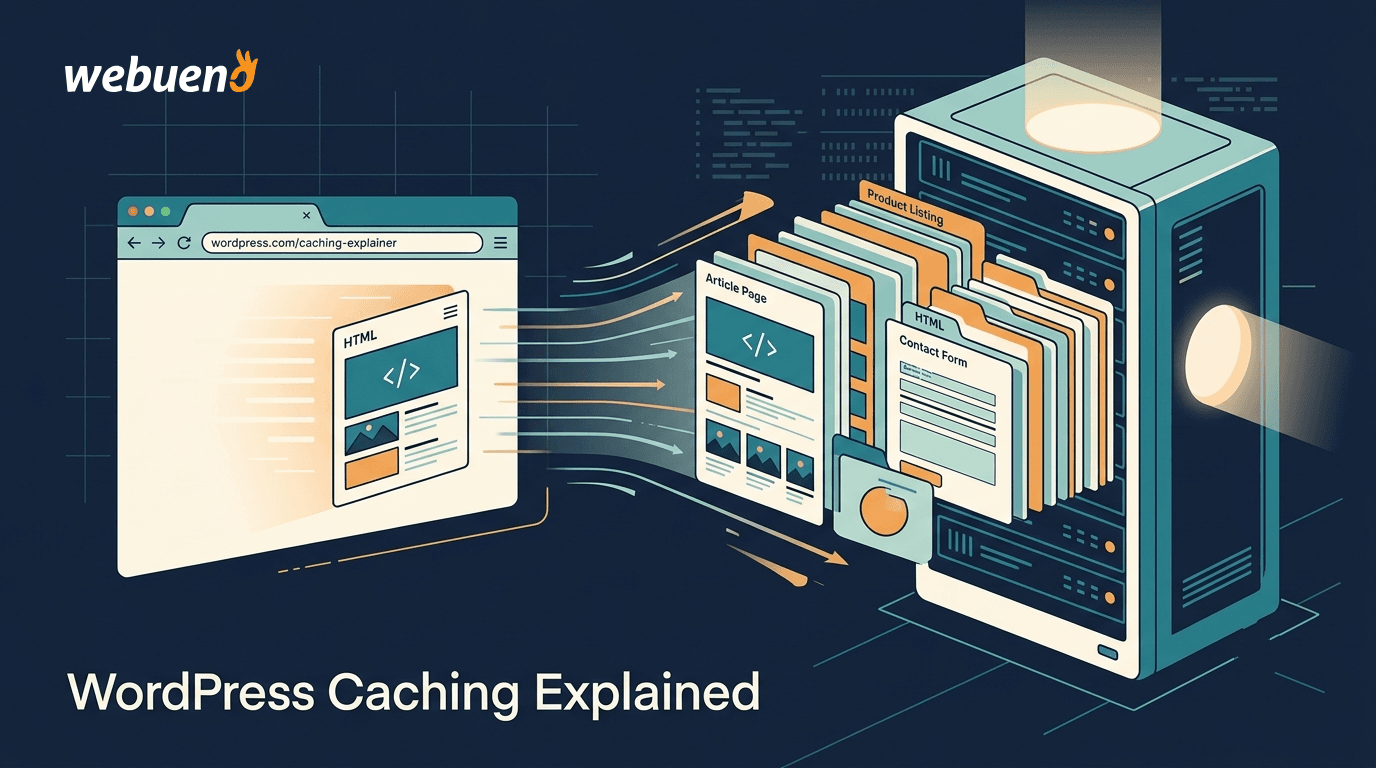
Without caching, WordPress rebuilds the entire page from scratch on every single request: running PHP, querying the database, assembling the HTML. That processing time is a huge part of your TTFB. With page caching, the server stores a ready-made HTML version of the page and serves that instead. No PHP, no database queries, just a pre-built file handed over instantly.
The impact is dramatic. A cached page can be served in 20 to 100 milliseconds versus several hundred (or thousands) for an uncached one. Server-level caching (like Redis or Varnish) is more powerful than plugin-based caching, but a good caching plugin (WP Rocket, LiteSpeed Cache, W3 Total Cache) makes a big difference too. For the full picture on what caching can and cannot do, see our guide on WordPress caching.
3. Use a CDN
A Content Delivery Network stores copies of your content on servers around the world, so visitors are served from a location physically close to them rather than from your origin server thousands of miles away.
The farther a visitor is from your server, the more the network round-trip adds to TTFB. A CDN shrinks that distance. Cloudflare’s free plan is a solid starting point for most sites, and combined with full-page caching at the CDN level, it can reduce TTFB significantly for a geographically spread audience.
4. Update Your PHP Version
This one is easy and often overlooked. WordPress runs on PHP, and newer PHP versions are significantly faster, handling more requests per second and processing your site’s code more efficiently.
If you are running an older PHP version, upgrading to the latest stable release can meaningfully reduce TTFB with almost no effort. You can usually change your PHP version in your hosting control panel. Just test your site afterward, since very old plugins occasionally need updating for full compatibility. You can check which PHP versions are currently supported to see if yours is outdated.
5. Optimize Your Database
Over time, your WordPress database accumulates bloat: post revisions, expired transients, spam comments, and leftover tables from deleted plugins. A bloated database makes every query slower, which adds to server processing time and therefore TTFB.
Cleaning up your database (with a tool like WP-Optimize, or manually) removes this overhead. On dynamic, database-heavy sites, adding persistent object caching with Redis stores the results of database queries in memory so they do not have to be re-run on every request, which further cuts processing time.
6. Reduce Plugin Bloat
Every active plugin adds code that runs on page load, and some plugins run heavy database queries or external calls on every request. Too many plugins, or a few poorly built ones, directly inflate server processing time.
Audit your plugins. Deactivate and delete anything you are not actively using. Pay special attention to plugins that do work on every page load (related-posts widgets, statistics trackers, some page builders), as these are common TTFB culprits.
7. Enable Compression (Carefully)
Compressing your pages with Gzip or Brotli reduces the amount of data sent, which can help overall load time. Brotli is generally faster than Gzip. Most quality hosts support one or both, and they can usually be toggled in your hosting settings.
One caveat: compression happens on the server and, in some configurations, can slightly increase TTFB even as it improves total load time. It is worth enabling, but test your TTFB before and after to confirm it helps rather than hurts in your specific setup.
Which Fixes Have the Biggest Impact?
If you only do a few things, do these:
| Fix | Impact on TTFB | Effort |
| Quality hosting | Very high | Medium |
| Page caching | Very high | Low |
| CDN | High | Low |
| Updated PHP version | Medium-high | Low |
| Database optimization | Medium | Low |
| Plugin cleanup | Medium | Medium |
| Compression | Low-medium | Low |
The pattern is clear: hosting and caching do the heavy lifting. If your TTFB is poor and you address only those two, you will usually see the biggest single improvement. Everything else is meaningful but secondary.
Why Optimization Plugins Alone Won’t Fix TTFB
It is worth repeating, because it is the most common mistake: you cannot plugin your way out of a slow TTFB.
Optimization plugins are excellent for front-end issues, minifying CSS, deferring JavaScript, lazy-loading images. But those all happen after the first byte arrives. TTFB is set before any of that. If your server takes 1.5 seconds to respond, no amount of front-end optimization changes that 1.5-second head start against you.
This is why sites on cheap hosting often stay slow no matter how many performance plugins the owner installs. The plugins are optimizing the wrong layer. Real TTFB improvement comes from a better server environment and proper caching; then the front-end optimizations build on that solid foundation.
When to Get Professional Help
Some TTFB fixes are simple (updating PHP, enabling caching, installing a CDN). Others require more comfort with the server environment, database, and diagnosing which specific plugin or query is causing delays.
If you have worked through the basics and your TTFB is still poor, the problem is usually deeper: an overloaded server, a misconfigured caching layer, or a specific bottleneck that needs diagnosis. This is where professional help pays off, because the fix is architectural rather than a simple toggle.
Webueno’s Speed Optimization service diagnoses and fixes the real causes of a slow TTFB, both the server-side delivery and the underlying bottlenecks, rather than just adding another plugin. And because we run managed WordPress hosting on isolated servers with Redis caching built in, the foundational server speed that TTFB depends on is handled from the start.
Fixing TTFB for Good
A slow TTFB is frustrating precisely because it hides beneath everything else you optimize. You can do everything right on the front end and still fail, because the delay is on the server.
The fix follows a clear order: quality hosting first, then page caching, then a CDN, then the smaller wins like PHP updates, database cleanup, and plugin audits. Get the server foundation right and your TTFB drops, your Core Web Vitals improve, and every other optimization you have done finally gets a chance to shine.
If your site keeps failing “reduce initial server response time” no matter what you try, the answer is almost always the server, and that is exactly what Webueno’s hosting and Speed Optimization are built to fix.
Get your WordPress TTFB fixed by experts
Frequently Asked Questions
What is a good TTFB for WordPress?
Aim for a TTFB of 800 milliseconds or less, which Google considers good. Between 800ms and 1800ms needs improvement, and over 1800ms is poor. A well-configured WordPress site serving cached pages can achieve a TTFB as low as 20 to 100 milliseconds.
Why is my WordPress TTFB so high?
The most common causes are slow or overloaded hosting, no page caching, an outdated PHP version, a bloated database, too many plugins, or serving visitors from a distant server with no CDN. Hosting and lack of caching are by far the biggest culprits.
Can a plugin fix my TTFB?
Caching plugins can help significantly because they let the server deliver pre-built pages instead of generating them each time. But optimization plugins that handle front-end tasks (minification, lazy loading) do not fix TTFB, because TTFB is set on the server before those run. You cannot fully fix a slow TTFB with plugins alone if the underlying hosting is poor.
Does TTFB affect SEO?
Yes, indirectly but meaningfully. TTFB is the foundation of page speed, which is a confirmed Google ranking factor, and it directly affects Largest Contentful Paint (a Core Web Vital). A slow TTFB holds back both your page experience signals and your rankings.
How do I check my TTFB?
Use PageSpeed Insights (the “reduce initial server response time” warning is your TTFB flag), Chrome DevTools (Network tab, “Waiting for server response”), or tools like WebPageTest and GTmetrix, which break TTFB out in a waterfall. Test both cached and uncached loads to see if caching is your issue.
Will upgrading my hosting reduce TTFB?
Usually yes, and often dramatically. Hosting is the single biggest factor in TTFB. Moving from cheap shared hosting to quality managed WordPress hosting with dedicated resources and server-level caching is the most effective way to reduce a slow server response time.
Does updating PHP really help TTFB?
Yes. Newer PHP versions process code more efficiently and handle more requests per second, which reduces server processing time and therefore TTFB. Upgrading from an old PHP version to the latest stable release is one of the easiest TTFB wins available.
What’s the difference between TTFB and page load time?
TTFB measures only how long the server takes to send the first byte of data. Page load time measures how long the entire page takes to fully load and render, including images, CSS, and JavaScript. TTFB is the starting point; a slow TTFB delays everything that follows.