


From urgent WordPress fixes to complete website projects, manage the work, communication, files, deadlines and tracked time from one place.
Not every request needs to become a project.
Our platform separates day-to-day WordPress requests from larger projects, making it easier to organize work and keep everyone focused on what needs to happen next.
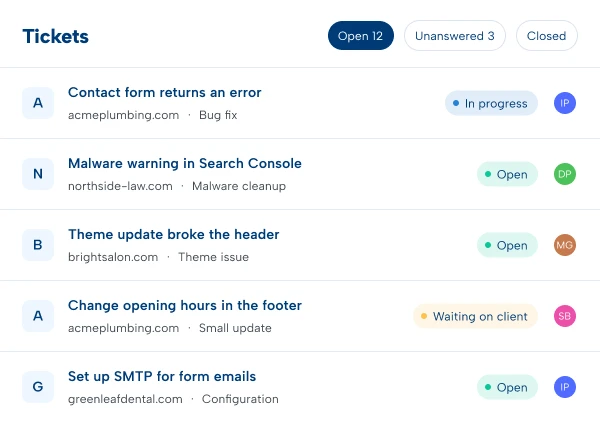
Tickets are designed for smaller, individual requests that need attention without creating an entire project. Use tickets for:
Tickets are connected directly to the website they belong to, so the website, client and request stay organized within the same account.

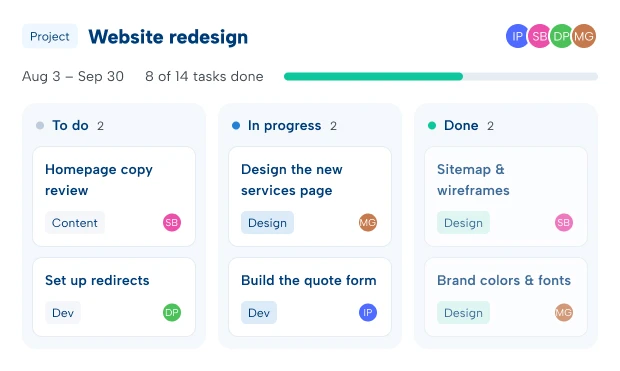
When the work involves multiple tasks, people and stages, create a project. Projects are ideal for:
A project acts as the central workspace where individual tasks can be created, organized and completed.

Tickets and project tasks share a powerful set of tools, so your team doesn’t have to change the way it works depending on the type of request.
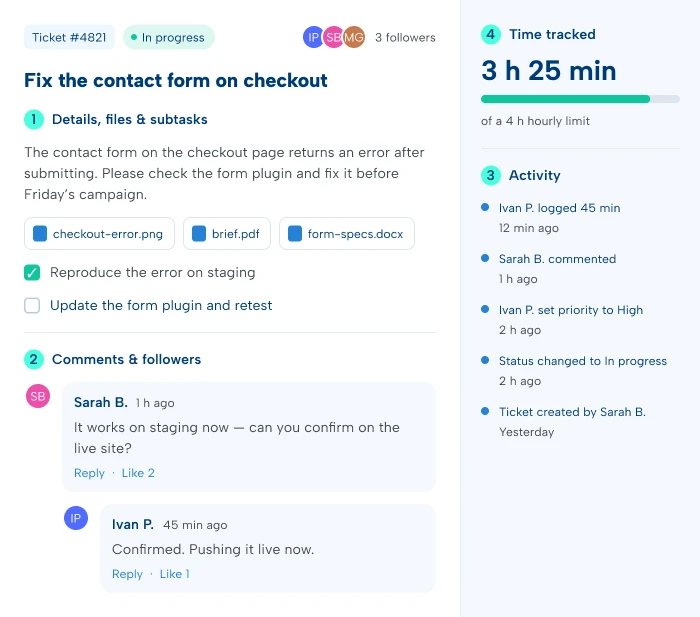
Add a clear title and description, upload designs, screenshots and documents, and break the work into subtasks or subtickets — without losing the context of the original request.
Comment, reply to individual comments and like responses. Add or remove followers to control who stays involved — the conversation stays attached to the work.
A chronological feed shows every change, comment, assignment and update from creation to completion — a clear record for both your team and ours.
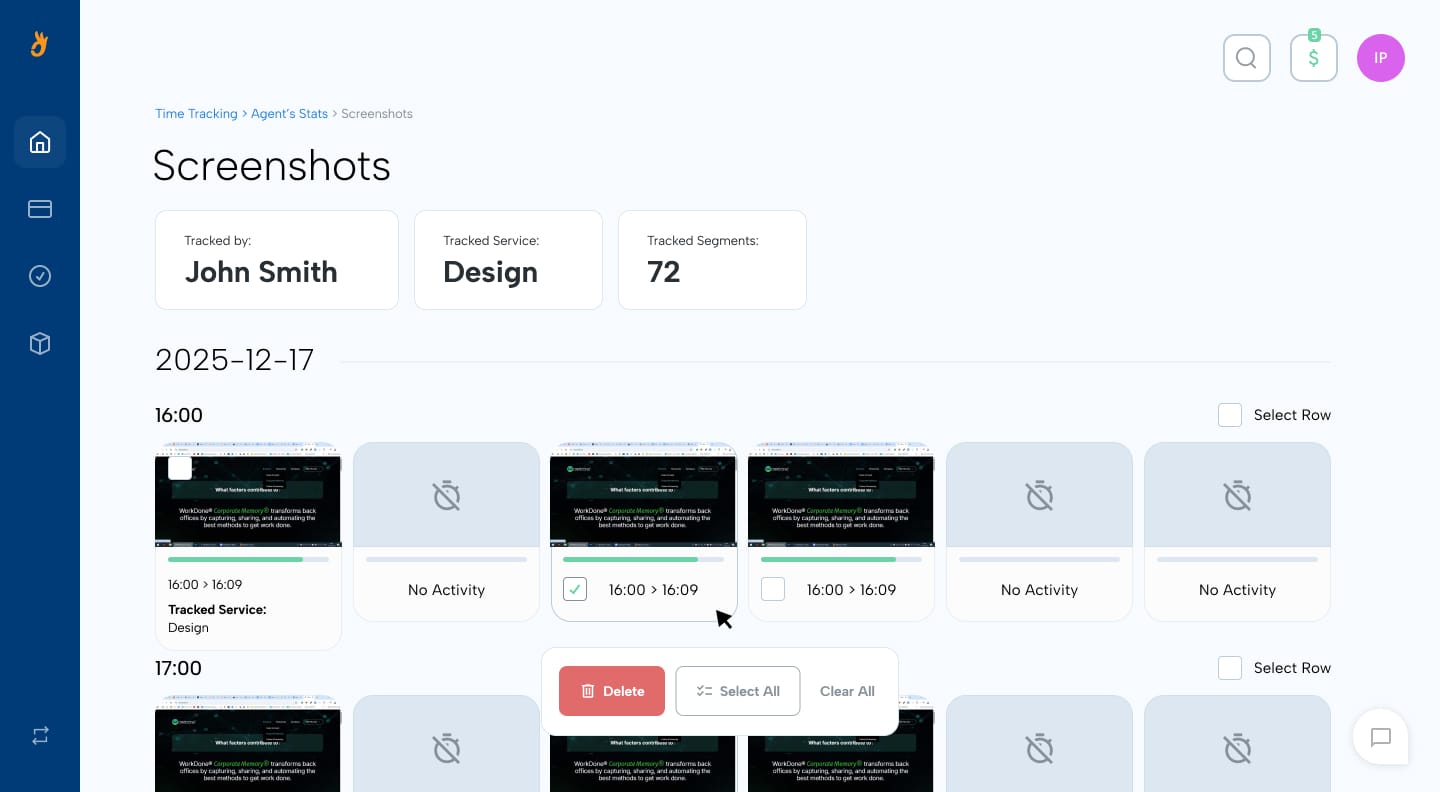
Tracked time is shown right inside tickets and tasks, so you see the time spent without switching apps or waiting for a separate report. Learn More About Time Tracking →
Know Exactly What’s Being Done


Manage Your Website(s) Easily
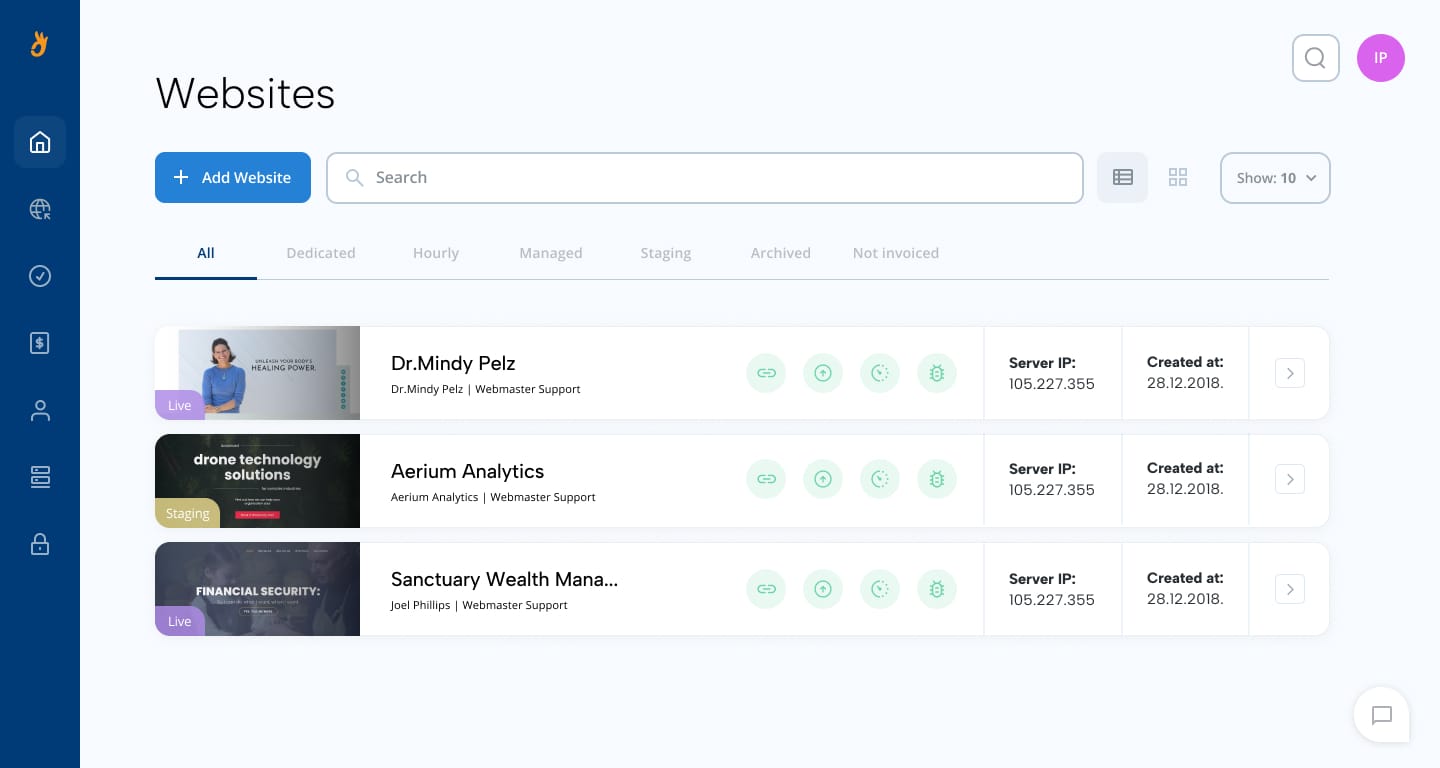
Customize package for each website with features below:
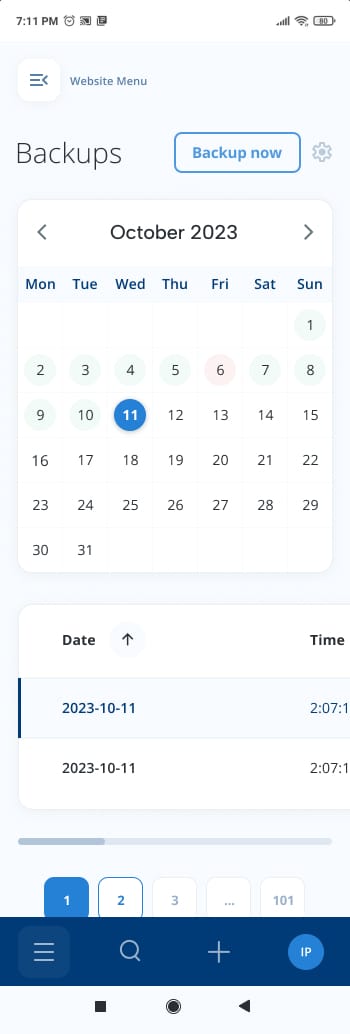
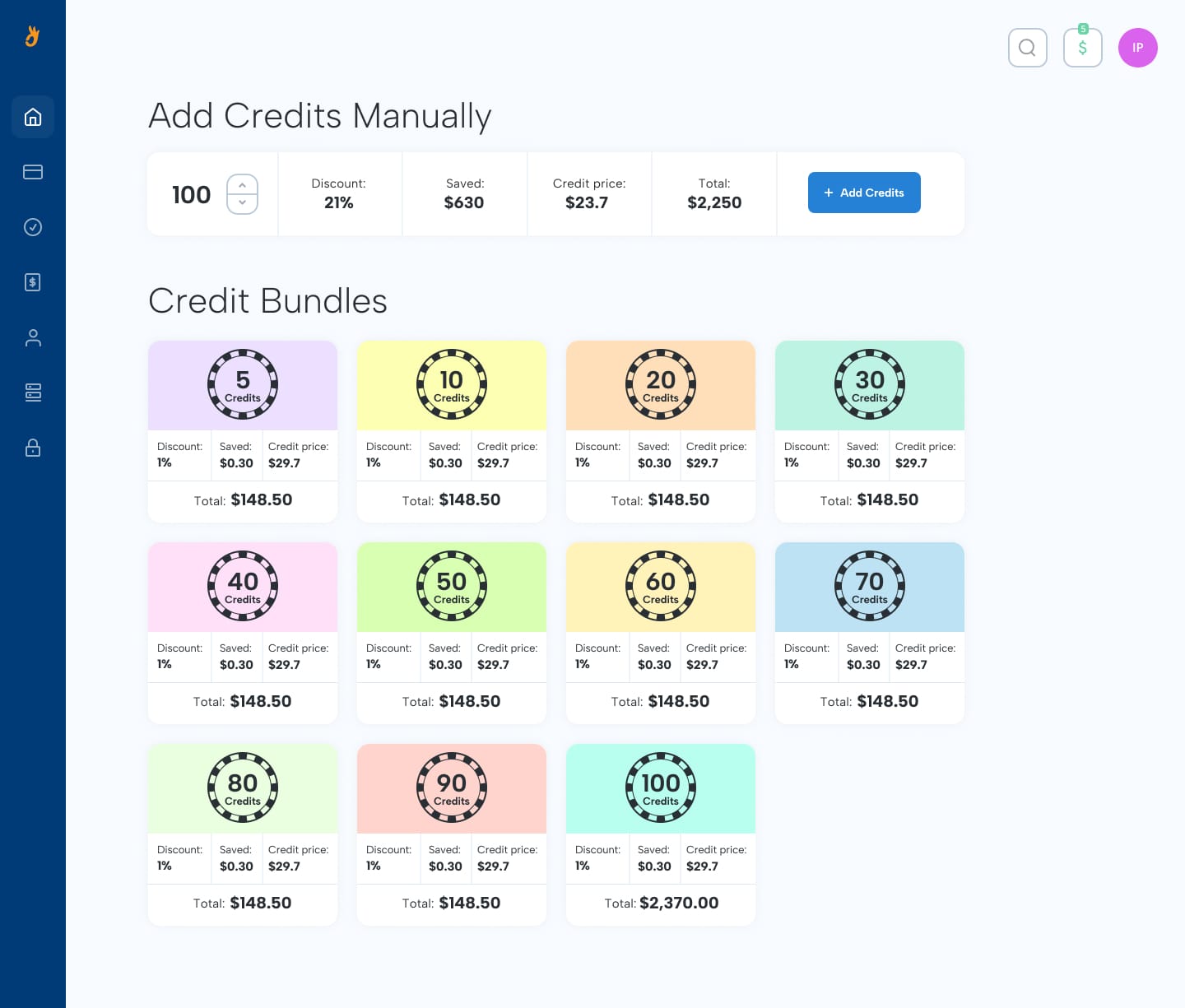
Simple, Transparent Pricing Model

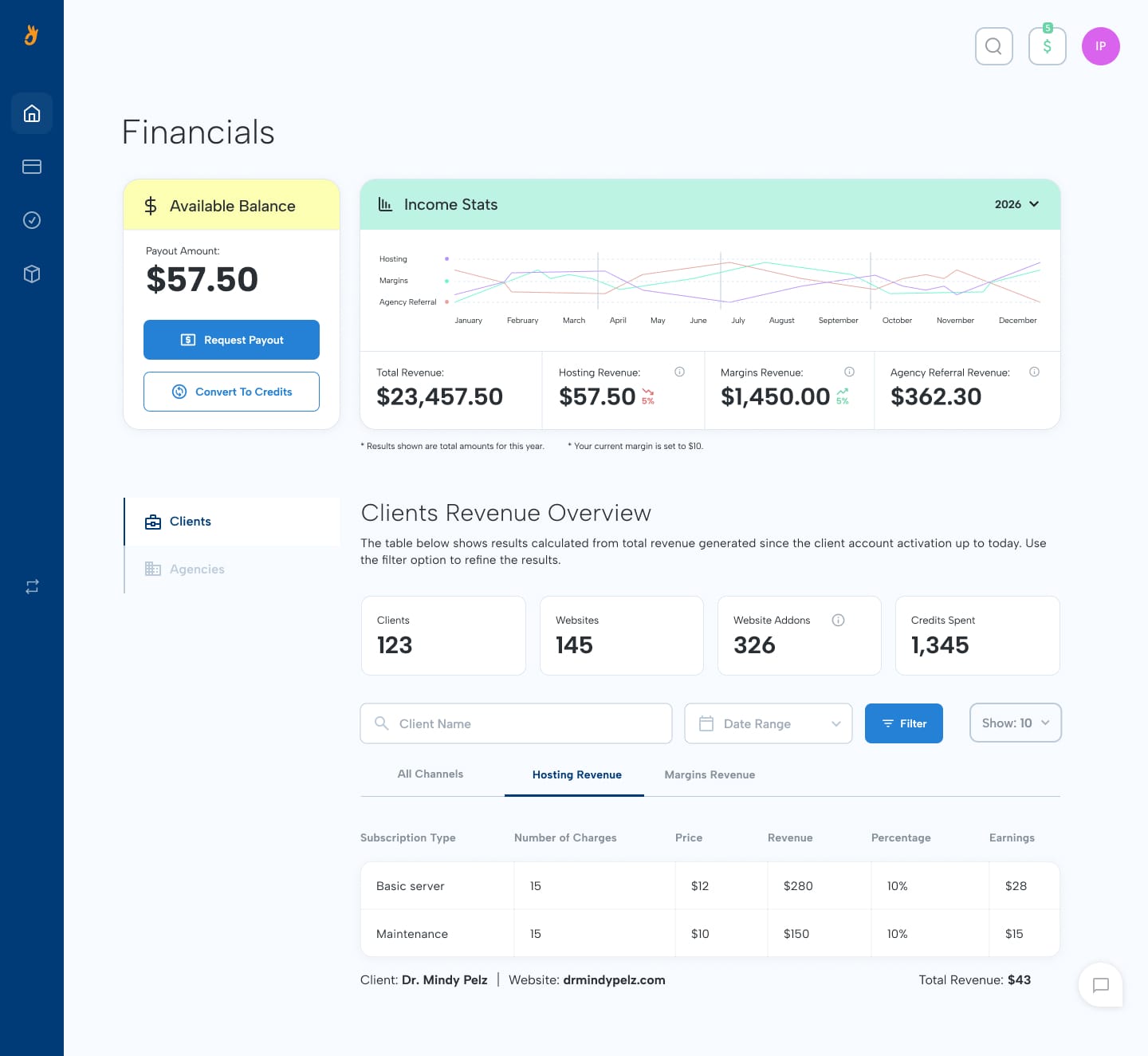
You receive 10% from hosting and all add-ons.
Set your margins on top of the hours we track.
Get 5% from the income from each agency referral.






Explore how Webueno can help you organize WordPress support, client requests and larger projects from one platform.
