


Get a complete view of your WordPress websites, hosting, security, uptime, backups, maintenance and access — whether a site is hosted with Webueno or somewhere else.
Managing multiple WordPress websites shouldn’t mean jumping between hosting providers, monitoring tools, spreadsheets and WordPress dashboards.
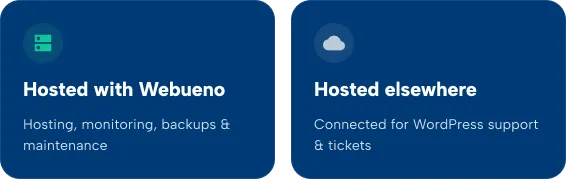
Webueno brings your websites together in one place. Add websites hosted on our infrastructure or connect externally hosted WordPress sites that need support through our ticketing system.
Either way, you get a central place to manage your website portfolio and quickly understand the status of every site.

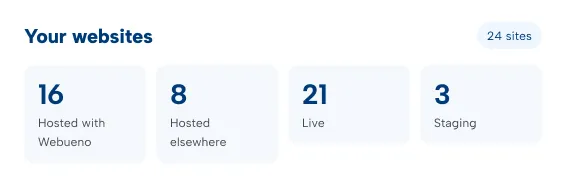
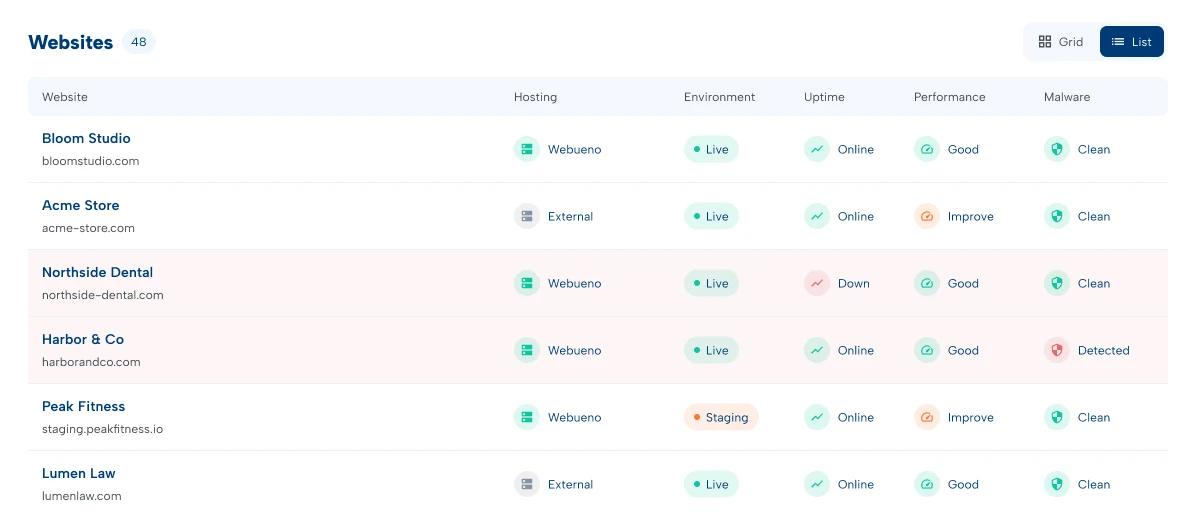
The Websites dashboard gives you a visual overview of every site connected to your account.
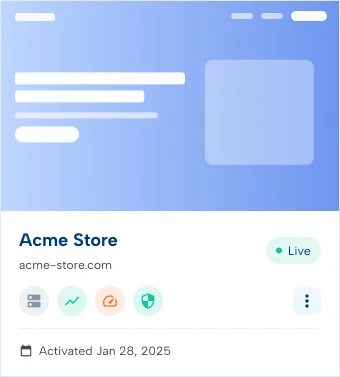
Choose between Grid View for a more visual experience or List View when you want to scan a larger number of websites quickly. Each website displays the essential information you need without having to open the individual account.
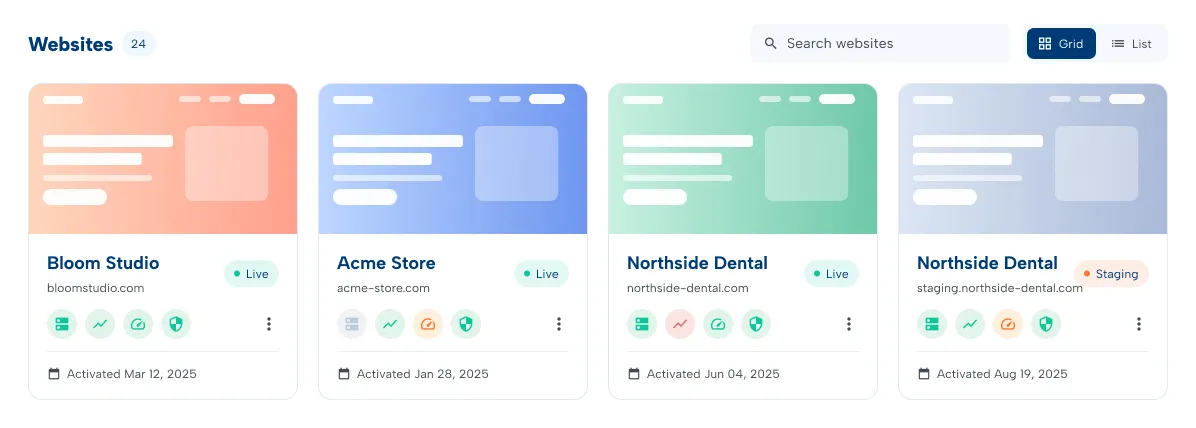
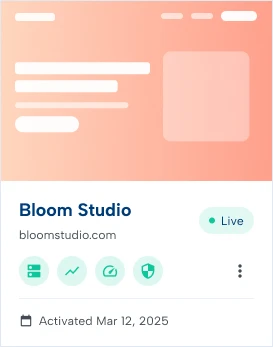
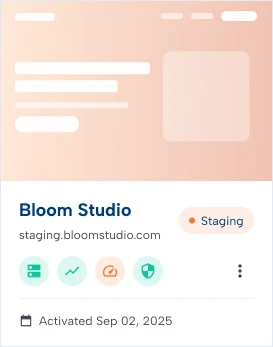
Each website includes a screenshot of its homepage, automatically refreshed every day.
This makes websites easier to recognize and gives agencies managing large portfolios a visual way to find the site they need. You can also immediately see whether the website is a:
Your production website available to visitors.
A separate environment for development, testing and updates before changes reach the live website.
A simple set of status indicators gives you an immediate picture of each website.

See whether the website is hosted on Webueno infrastructure.

Know whether your website is currently available.

Quickly understand the website’s current performance score.

See the latest security status without opening a separate security tool.
In addition to website health, each site displays useful account information such as its activation date.
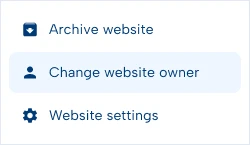
Need to manage the account itself? Open the additional options menu to perform actions such as:
The result is a cleaner dashboard that keeps common information visible while keeping administrative actions out of the way until you need them.
The portfolio dashboard gives you the overview. Open an individual website account when you need to go deeper.
Each website has its own dedicated management area where hosting, access, security, uptime, reports, backups and maintenance information are organized into clear sections. Instead of treating these as disconnected services, Webueno connects them to the website they belong to.
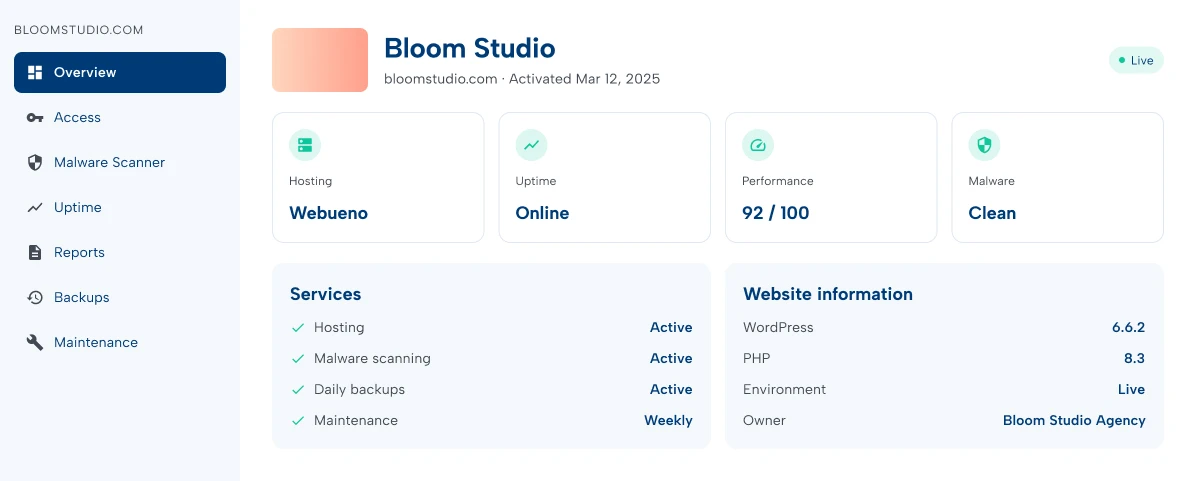
The Overview gives you a quick summary of the most important information about the selected website. Check its general status, services and website information before diving into individual management areas.
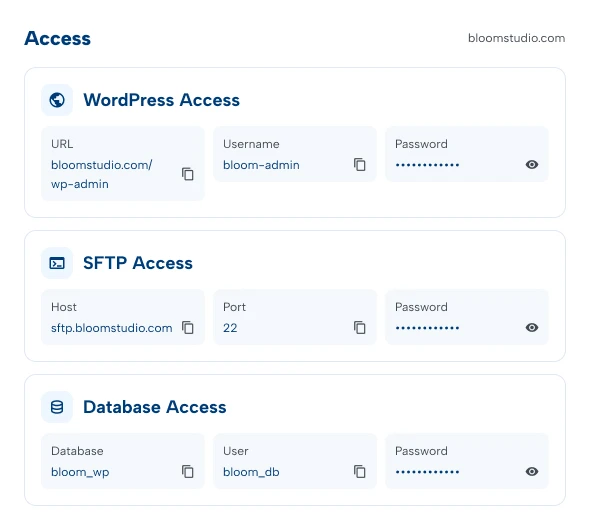
Access the technical credentials associated with your website from one dedicated area. Depending on the website configuration, this can include:
Keeping website access connected to the website account makes managing multiple WordPress installations considerably easier.
Activate malware scanning for hosted websites and monitor the security status directly from the platform. When the site is clean, you can see its healthy status at a glance. If malware is detected, the platform clearly identifies the problem so action can be taken.
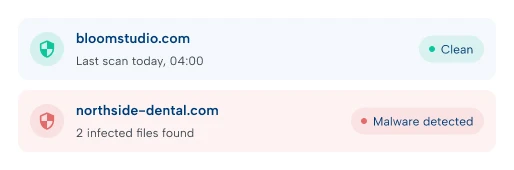
And because Webueno also provides WordPress support, detecting the problem and getting help with cleanup can happen within the same ecosystem.

Your website should be available when your customers need it. Uptime monitoring gives you both the current website status and a history of previous monitoring activity.
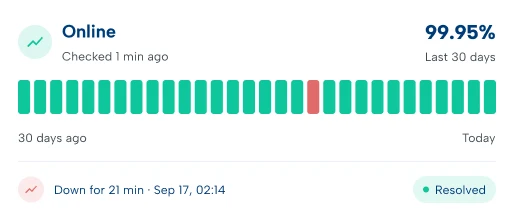
Quickly check whether the website is online and review its uptime history when you need additional context. Instead of discovering downtime from a customer, you have monitoring built directly into the website account.
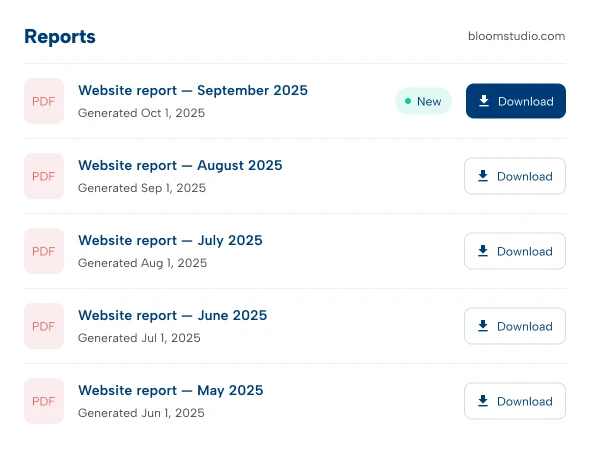
Webueno automatically generates a website report once a month.
Your Reports section keeps previous reports organized in one place, creating an ongoing history of your website’s health and maintenance. Reports are available as downloadable PDF files, making them easy to save, review or share.
For agencies, monthly reports also provide a simple way to demonstrate ongoing website management to clients.
Website backups shouldn’t become important only after something goes wrong.
Webueno gives you a visual backup calendar where you can select the date you need and access the available backup for that point in time. From there, you can:
Download the available website files when you need your own copy.
Download the available website files when you need your own copy.
The calendar makes backup history easier to understand without searching through filenames or server directories.
WordPress websites change constantly.
WordPress core receives updates. Plugins release new versions. Themes change. Security fixes become available. The Maintenance section gives you visibility into the update status of WordPress core, installed themes and installed plugins.
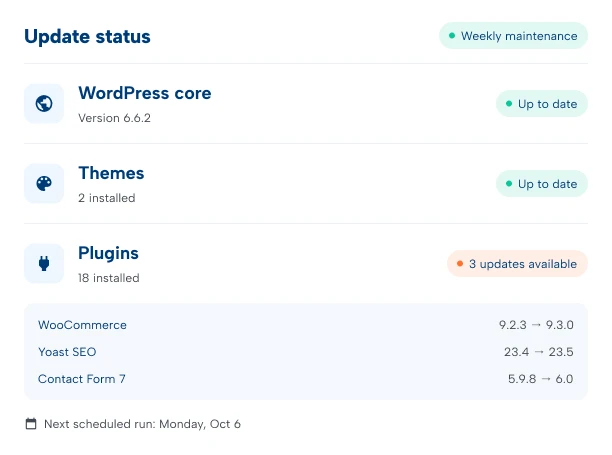
Updates are performed once per month. A practical option for websites that don't require frequent changes and need basic ongoing maintenance.
Updates are performed once per week. Designed for active business websites that need more frequent attention.
Updates are checked and handled daily. Best suited to websites where keeping WordPress, plugins and themes current is particularly important.
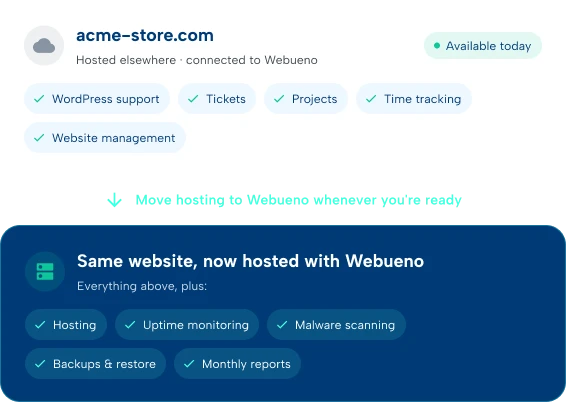
One of the most important differences with Webueno is that you don’t have to migrate your website just to work with our WordPress team.
You can add an externally hosted website to your account and use it with:
If you later decide to host the website with Webueno, its hosting services and additional monitoring features become part of the same platform.
This gives businesses and agencies the flexibility to adopt Webueno at their own pace.
Managing one WordPress website is relatively straightforward. Managing 20, 50 or 100 client websites is different.
Webueno gives agencies a single place to see their entire website portfolio and quickly identify what needs attention. See which sites are hosted with Webueno, which are externally hosted, which are live or staging, and quickly review uptime, performance and security status. Then open an individual website when you need to investigate further.
Website management becomes much more useful when it is connected to the people who can actually work on the website.
A monitoring tool can tell you there’s a problem. Webueno can take you further.

northside-dental.com

Uptime check failed

#1051 created

Marko P. · Developer

1h 20m tracked
Site back online
Hosting, website management, ticketing and time tracking work together as parts of the same platform.





See every website, its hosting, health, backups and maintenance in one place with the WordPress team ready to step in when something needs attention.
